How To: Office 2010 Beta Activation
After you complete the Installation of Microsoft Office 2010 Beta you will be prompted that your product's activation is failed and you need to activate the product. So here are the simple steps incuded in the activation procedure of the product:

In the Title Bar it is reflected that the product activation failed, and its neccessary to activate the product.
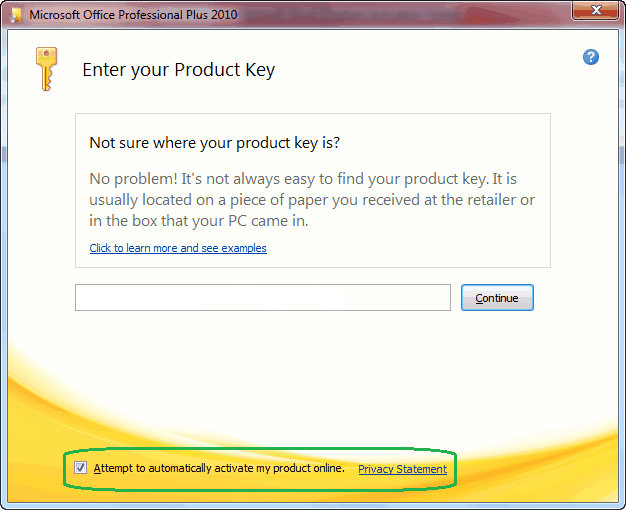
Enter your product key which you get at the time of downloading the product.
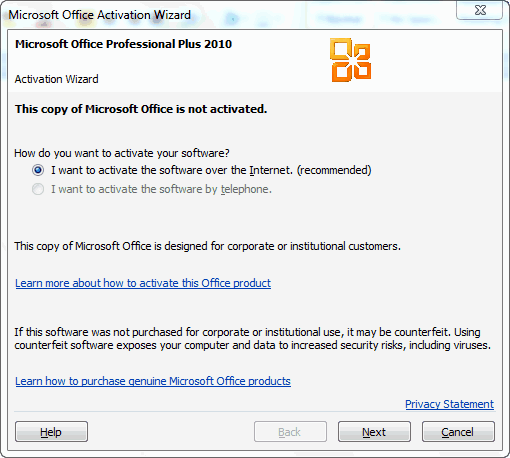
Click on the Next button as The product activation will begin over internet.
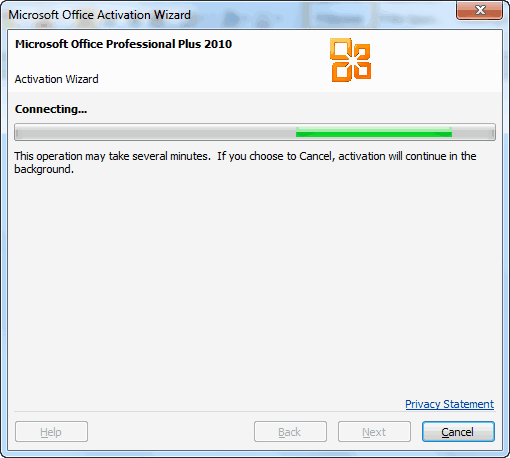
Activation Progress of the product over the internet.
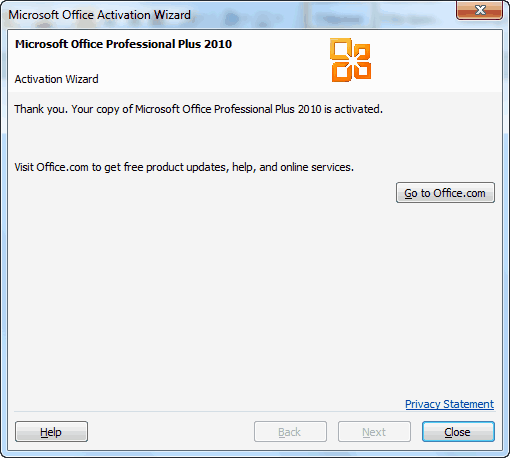
After the activation get completed, a thanks to the user for activating the product. Now your Microsoft Office 2010 Beta is genuine and activated successfully.
In the Title Bar it is reflected that the product activation failed, and its neccessary to activate the product.
Enter your product key which you get at the time of downloading the product.
Click on the Next button as The product activation will begin over internet.
Activation Progress of the product over the internet.
After the activation get completed, a thanks to the user for activating the product. Now your Microsoft Office 2010 Beta is genuine and activated successfully.

Office 2010 Beta Installation ScreenShots.
Recently Microsoft released Office 2010 Beta and I just completed the downloading it. After the download completes, I can't wait more and started the installation of Office. Here are the screenshots of the steps included in the installation:
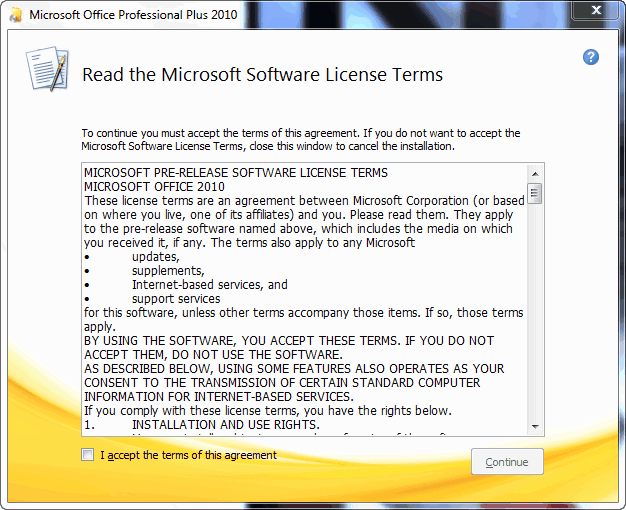
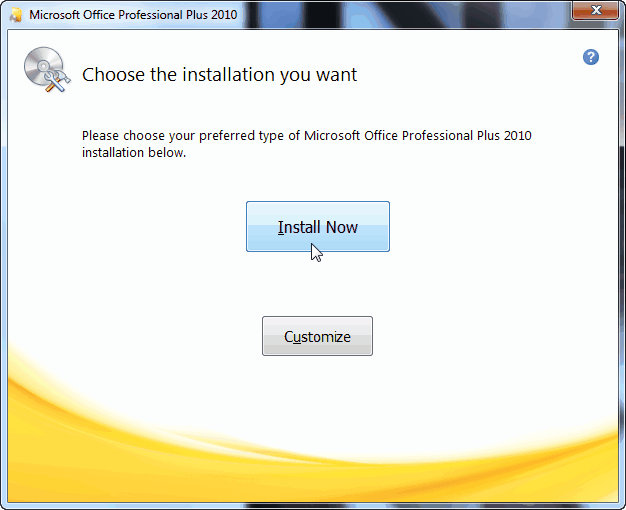
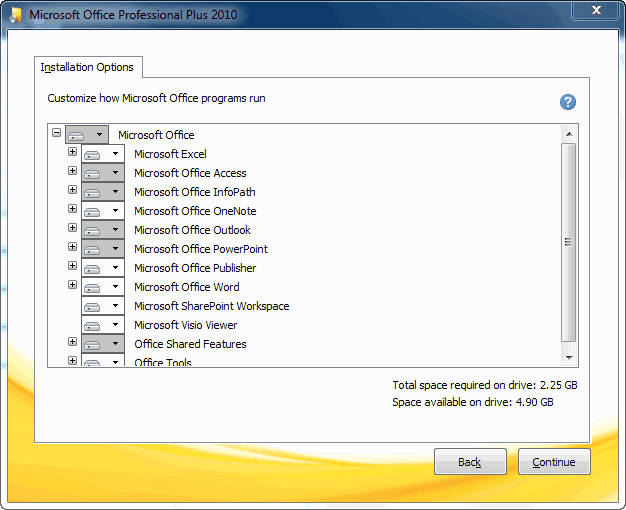
Office 2010 Beta ~ Custom Installation
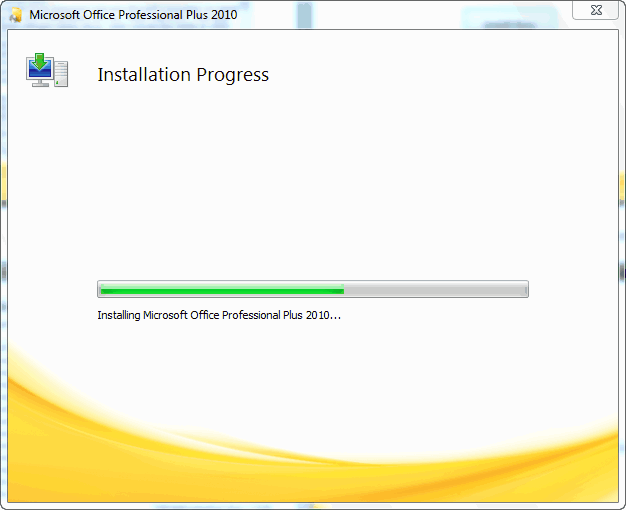
Office 2010 Beta ~ Installation Progress
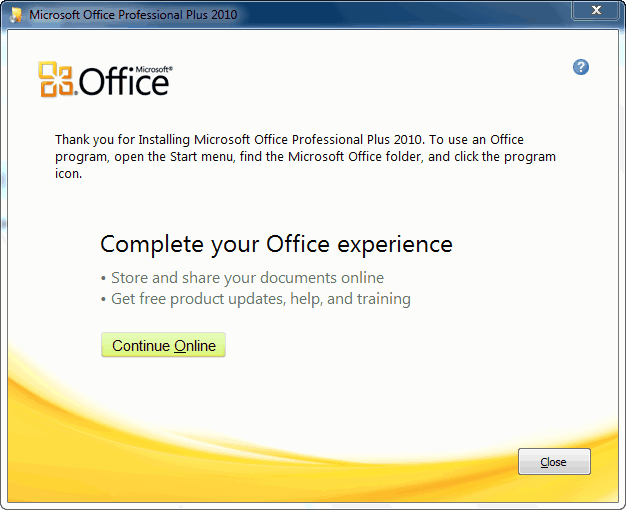
Office 2010 Beta ~ Installtion Complete
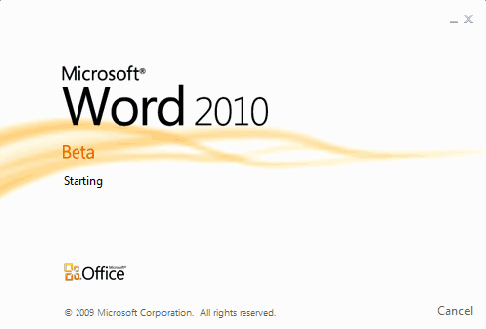
Office 2010 Beta ~ Splash Screen
Office 2010 Beta ~EULA
Office 2010 Beta ~ Tpical Installation
Office 2010 Beta ~ Custom Installation
Office 2010 Beta ~ Installation Progress
Office 2010 Beta ~ Installtion Complete
Office 2010 Beta ~ Splash Screen
Download: Microsoft Office 2010 Beta publicly available.

Recenlty Microsoft Office 2010 Beta was made available to MSDN and TechNet Subscribers and now its released to public download.
Kurt DelBene
senior vice president of the Office Business Productivity Group, Microsoft said
"Office 2010 is where you want it, when you need it. "Till now many of us were using the Office 2010 Technical Preview and now the wit is over and Beta is ready for testing. But before you go for the Beta installation first of all make sure that you have uninstalled the previous versions of it.
Here's is what you need to know:
This is pre-release software, so please read the following to get an idea of the risks and key things you need to know before you try the Office Professional Plus 2010 Beta.
Protect your PC and data
Be sure to back up your data and please don’t test Office Professional Plus 2010 Beta on your primary home or business PC.
Uninstall any previous versions of Microsoft Office
We highly recommend that previous versions of Microsoft Office be removed from your test machine before installing Office Professional Plus 2010 Beta.
Technical details/updates
Before installing the Beta please read the Release Notes.
Keep up with the news
You can keep up with general technical information and news by participating in the Microsoft Office 2010 Forum (on TechNet) and reading the Microsoft Office 2010 Team Blog.
Keep your PC updated
Be sure to turn on automatic updates in Windows Update in case we publish updates for the Office Professional Plus 2010 Beta. .Microsoft Partners. Learn more about Office Professional Plus 2010 on the Microsoft Partner Portal.
System Requirements:
Internet access Internet access (to download Office Professional Plus 2010 Beta and get updates) .
- 500 MHz 32-bit or 64-bit processor or higher
- 256 MB of system memory or more 3 GB of available disk space
- 1024x768 or higher resolution monitor
- DVD-R/W Drive
- Windows XP with Service Pack (SP) 3 (32-bit)
- Windows Vista with SP1 (32-bit or 64-bit)
- Windows Server 2003 R2 (32-bit or 64-bit)
- Windows Server 2008 with SP2 (32-bit or 64-bit)
- Windows 7 (32-bit or 64-bit)
Microsoft Office 2010 Beta Available to MSDN and TechNet Subscribers
Microsoft Office 2010 Technical Preview was released in earlier July 2010 and after approximate 4 months, today the official Microsoft Office 2010 BETA has been made available for MSDN and TechNet subscribers.
Microsoft has not released Office 2010 BETA to Microsoft Connect and general public yet. After the official announcement of closing Office 2010 TP, Microsoft stated, “Office 2010 BETA will be made available for public in November 2009”. Therefore we can expect Office 2010 Beta will be available in earlier this week.
Both 32bit and 64bit versions are available, Microsoft is offering Microsoft Office 2010 Professional Plus Beta, that is a complete suite of productivity and database software that will help you save time and stay organized. Powerful contact management features help you manage all customer and prospect information in one place. This product includes Microsoft Word, Excel, PowerPoint, Outlook, OneNote, Publisher and Access.
Visit these following URLs and you can find your site at Applications >> Office 2010
Download Microsoft Office 2010 Beta from MSDN
Download Microsoft Office 2010 Beta from TechNet
Courtesy WindowsValley
Microsoft has not released Office 2010 BETA to Microsoft Connect and general public yet. After the official announcement of closing Office 2010 TP, Microsoft stated, “Office 2010 BETA will be made available for public in November 2009”. Therefore we can expect Office 2010 Beta will be available in earlier this week.
Both 32bit and 64bit versions are available, Microsoft is offering Microsoft Office 2010 Professional Plus Beta, that is a complete suite of productivity and database software that will help you save time and stay organized. Powerful contact management features help you manage all customer and prospect information in one place. This product includes Microsoft Word, Excel, PowerPoint, Outlook, OneNote, Publisher and Access.
Visit these following URLs and you can find your site at Applications >> Office 2010
Download Microsoft Office 2010 Beta from MSDN
Download Microsoft Office 2010 Beta from TechNet
Courtesy WindowsValley
Subscribe to:
Posts (Atom)
Buy Quick Heal at Cheap Price


Friends




Link to us

BlogAdda

About Me

- Arvind Kumar
- I'm Arvind Kumar from India, B.Tech, now working in a MNC. I love to use Microsoft Products and learn from that. Bill Gates is my ideal person.
