Showing posts with label Unsorted. Show all posts
Showing posts with label Unsorted. Show all posts
Another chance to win TuneUp Utilities 2011 licenses - 6 Keys available
As we already had one contest regarding TuneUp Utilities 2011 licenses few weeks ago, and now we are back with some more licenses. This time Tune Up is creating a new trend with its new innovation of Tune Up Deactivator. So here are 6 more licenses to win. And for this there are some simple steps:
STEP 1: Subscribe to UnlockWindows Newsletter at no cost( FREE ). You can subscribe to it using the Subscribe link by givng your email id there. or click here.
STEP 2: Leave a meaningful comment here in this topic. Make sure that while leaving comment you must provide the same email id which you use for subscribing to UnlockWindows, otherwise you won't be eligible for this giveaway.
Step 3: Follow us on Twitter.
[ Note: Your Subscription must be active, if it is unverified then we'll not consider that email id as valid for the contest. ]
Offer valid upto 13th of this month ( 12 Midnight ) and winners will be announced then after.
So enjoy your weekend this contest and a try to win.
[ *** Update *** ]
Please ensure that successful subscription is the one which is verified and active. For that you must verify from the mail you got after subscribing to UnlockWindows.com .

Time to play with a duo Lappy: Touchable and typable.
In this computer era, we all see lots of changes, lots of hi tech gadgets, touch screen, wireless keyboard. We have used Laptops with keyboard, touchscreen laptop too, but this time we will witness a duo. Yes it mean a Laptop with keyboard as well as Touch Screen which is flippable.
Microsoft is launching its store in Bellevue Square Mall and on this great day Dell Inspiron Duo is also hitting their. The best thing about this Laptop is its screen which can be easily flipped within the lid and lid remains fixed. So at a time it is a simple laptop and with a press at the bottom of screen... wooo it becomes a fully touchable laptop.
As you can see it in the picture below, screen can be easily flipped:

Anytime you want make it a laptop:

When you need to be a high tech touchscreen gadget with fully loaded features:

You need to be like an alarm to be kept beside your bed so make it so:

Soon it will be available in the stores of Dell. This unique hands on was brought by Ben Rudolph.
Try new look & feel of Twiiter loaded with more features
As we all are aware of the next gen sites connecting the world with each other like Facebook, Twitter, Digg etc and now Twitter is ready to serve its user with relatively new and powerful features. Twitter is coming with some new and enhanced features like re tweeting, new sleek design, replies, searching, listing, mini profile etc.
After you login to Twitter, it'll prompt to try new twitter.

When you accept the choice to use the new twitter the look and feel of Twitter will change from you were using to a new sleek and geek look with more elegant features.

Follow me @UnlockWindows
After you login to Twitter, it'll prompt to try new twitter.
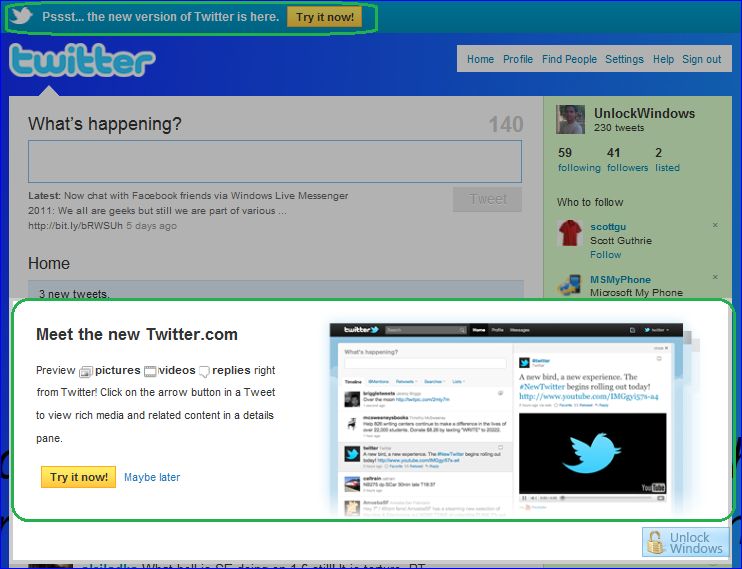
When you accept the choice to use the new twitter the look and feel of Twitter will change from you were using to a new sleek and geek look with more elegant features.
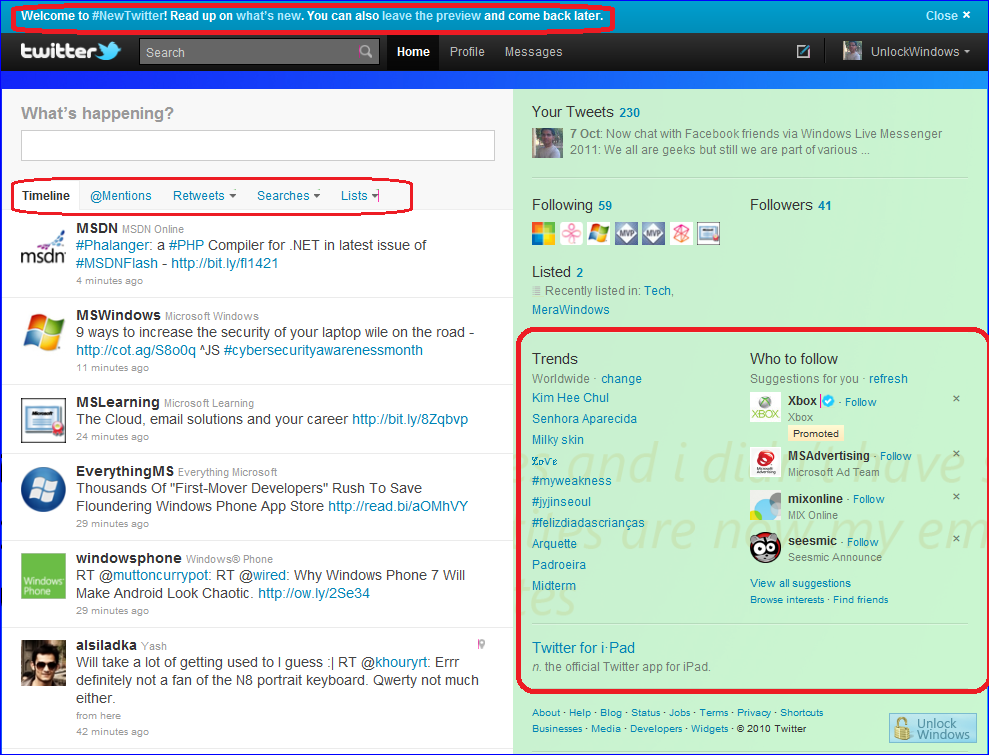
Follow me @UnlockWindows
Windows Live Events service will expire tomorrow, backup your photos and files.
As we already posted that Windows Live service will end soon in 2010 and it will be tomorrow when after Midnight Windows Live Events will be no more and Microsoft Windows Live has given option of Windows Live Calendar where we can create, plan, manage events. Now before it expires completely you can save your photos and files from there, here's how:
For Saving photos follow the steps as:
For Saving photos follow the steps as:
- Sign in with your Windows Live ID and visit http://events.live.com/.
- Click on View your events ar the top of page.
- Choose and select the event from where you want to save photos and then click on Photos lonk on the left side of the event page.
- Click on More by selecting the Photo album to be saved.
- Now simply click on download from the More dropdown menu and then click Download with Photo Gallery.
- Choose and select the photos to be sved and then click Download.
For Saving files follow the steps as:
- Click on SkyDrive link on the left sidebar of each event page.
- Select the documents folder.
- Choose your specific file that you want to download.
- Now click on Download and then open the file or save it to your computer. Thats it!
So if there are your events on Windows Live then hurry before it expires and save the photos and files of your use.
Do Live, Let Live, Windows LIVE !!!
Winner: [Giveaway] Chance to get Tune Up Utilities License worth $49.95
Last week we had a giveaway of Tune Up Utilities and now its time to announce the winner. Winner of this giveaway is choosen randomly with the help of http://www.random.org/ as there are 5 comments.
Winner of giveaway is:
kirk
License will be send to the winner via email. Thanks for the cooperatino with readers and dont lose hope who dont win, we'll come soon with much more exciting offers. Till that Happy Windows Computing!!!
Do Live, Let Live, Windows Live!
Free domain Registration for limited time. Hurry!
1and1.com is offering free domain registration for 1 year of time. This offer is a promotional giveaway from the website itself. You can have.com, .info, .biz, .us etc.domain free for 1 year with Norton Internet Security 2010 for 3 months free subscription.

Register your domain.
Note: This offer lasts onl for 3more days. So Hurry!

Register your domain.
Note: This offer lasts onl for 3more days. So Hurry!
[Giveaway] Chance to get Tune Up Utilities License worth $49.95
"TuneUp Utilities" is on top among lots of tweaking software available for Microsoft Windows. Its just not a software but a package consisting of so many modules or components dedicated for separate task as like Registry Optimizer, Registry Cleaner, System Optimizer, etc ad not only this it let you easily customize Windows appearance by changing Windows theme, login screen, boot screen and icons.
You can read our review of TuneUp Utilities at following link:
And today I'm announcing for a free license of "TuneUp Utilities 2010" to UnlockWindows readers. This tool costs $49.95 but you can get it absolutely free. For this just follow the steps:
STEP 1: Subscribe to UnlockWindows Newsletter which is FREE. You can subscribe to it using the Subscribe link by givng your email id there.
STEP 2: Leave a meaningful comment here in this topic. Make sure that while leaving comment yo provde the same email id which you use for subscribing to UnlockWindows, otherwise you won't be eligible for this giveaway.
[ Note: your Subscription must be active, ifit is unverified then we'll not consider that email id as valid for the contest. ]
[ Note: your Subscription must be active, ifit is unverified then we'll not consider that email id as valid for the contest. ]
That's it. Winner will be chossen randomly who will get the FULL license of Tune Up Utilities 2010.
Best of luck to all...
[ Update ] Winner will be announced tomorrow before 12 Noon. Contest will remain open till 12:00 Midnight IST today.
[Winner announced: Visit here ]
[ Update ] Winner will be announced tomorrow before 12 Noon. Contest will remain open till 12:00 Midnight IST today.
[Winner announced: Visit here ]
I got invitation to Join Spindex,
Last week I requested to Join the Spindex as when I came to know about it that "Spindex allows you to access your favourite social networks, RSS feeds, and many more. It makes a nice howm page which is cutomized as per your concern automatically." Right now it can connect you to the Twitter, Facebook and Evernote and RSS feeds but it is growing up and will add more soon.

Register yourself @ Spindex.
Office 2010 Launch on 12th may live. Don't miss it !!!
Ready to rock as Microsoft announce that they are going to launch New Office on 12th May'10 which we can watch live from our screen. In this 2010 launch event Office 2010, SharePoint 2010, Visio 2010, and Project 2010 will be virtually launched. Stephen Elop, President , Microsoft Business Division will be giving a keynote on this launch event and will give product demos.

TechNet 2.0 Goes Live with a new feel and sensation
TechNet 2.0 is live now and is having a new revamped structure consisting of lots of new improvements with new features. It will give you a new experience about the TechNet new generation having a New section covering Today's news on the home page itself with constantly updated news from real people and lots more but all the feel and enhancement can be feel by checking it on your own by visitng it.Here is I'm giving a screenshot of its home page and rest of it just check it out.
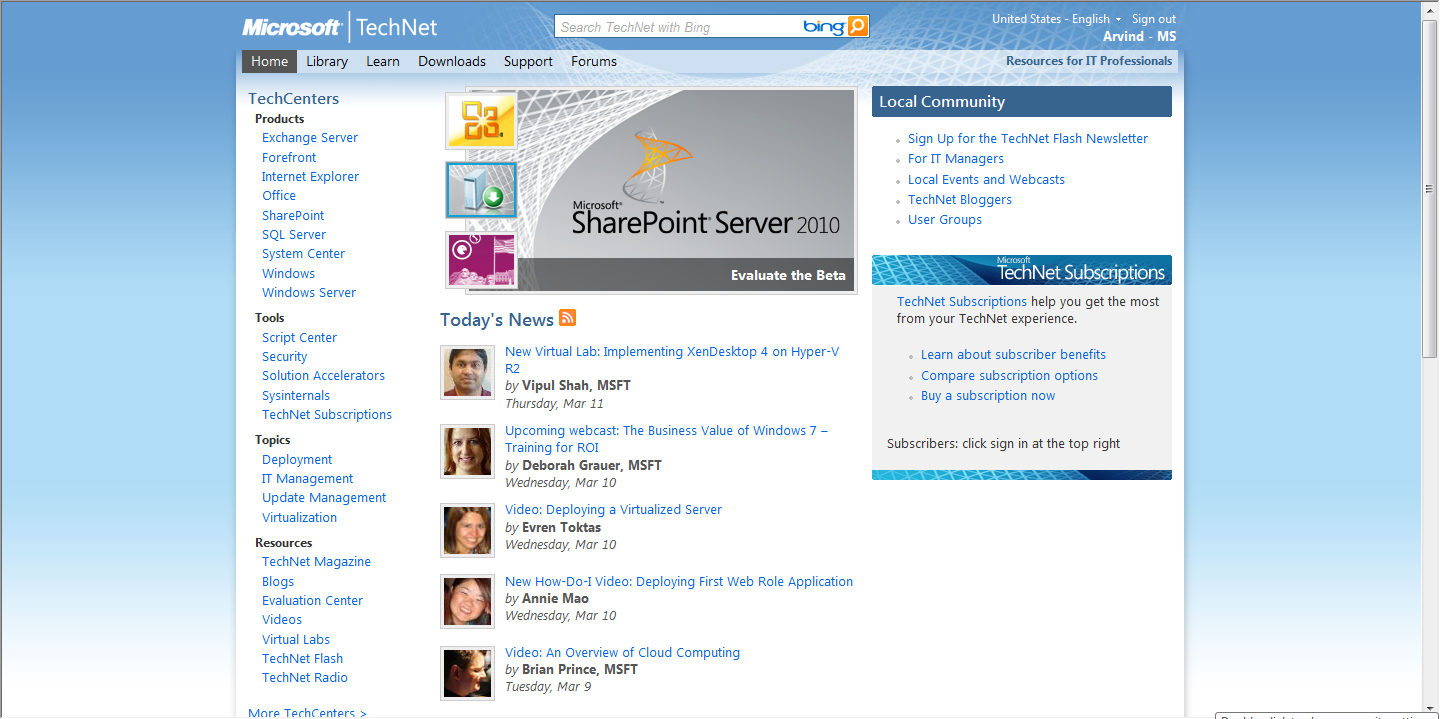
Its so amazing and valuable that you all will just get stick to it and will have check to it every day and are going to subscribe its feeds. For the feeds subscription visit here.
Fix: Time out error while burning disc in Windows 7/ Windows Server 2008 R2
Microsoft released a hotfix for the problem which occurs when we try to burn files to a DVD-R Dual layer disc (DL) in Windows 7 or in Windows Server 2008 R2. Sometimes the burning operation fails with a time-out error (also in an application that uses Image Mastering API version 2.0 (IMAPI v2) to burn files).
Prerequisites
You must be running Windows 7/ Windows Server 200 R2
Registry Information
No changes needed in registry of Windows
Restart requirement
System must be restarted once to apply the hotfix successfully
Hotfix replacement information
No replacement of previuly released hotfix
Applies to:

After requesting you'll be thanked from Microsoft.

You'll be prompted for password for extraction.
Request for the hotfix.
Prerequisites
You must be running Windows 7/ Windows Server 200 R2
Registry Information
No changes needed in registry of Windows
Restart requirement
System must be restarted once to apply the hotfix successfully
Hotfix replacement information
No replacement of previuly released hotfix
Applies to:
- Windows 7 Enterprise
- Windows 7 Home Basic
- Windows 7 Home Premium
- Windows 7 Professional
- Windows 7 Ultimate
- Windows Server 2008 R2 Standard
- Windows Server 2008 R2 Enterprise
- Windows Server 2008 R2 Datacenter
After requesting you'll be thanked from Microsoft.
You'll be prompted for password for extraction.
Request for the hotfix.
Join and Win prizes in Second Cisco I-Prize
What is Cisco I-Prize?
Cisco is presenting an event where participants ae invited to submit ideas based on some problem, something new and different. This time Cisco is looking forward beyond its own resources and turns to the globa community, the Human network, to identify its next major business opportunity.
Then Cisco will select up to 32 semifianlist teams and so will work with Cisco in building a business plan and presentation with help of state-of-the-art collaboration tools. Up to eight finalist teams will present their business ideas to a judging panel to compete for the grand prize: a $250,000 award shared equally by members of the winning team.
There will be three phases of the program as Brain Storm of three months , Refine and Finals of one month each. Only thing to do is to register an submit your unique, different and new ideas. Admin panel is monitoring each and every idea and points are provided on the judging criteria by judging panel. In meantime of the program there willbe a giveaway going on in whch Flip Camcorders will be distributed to teams.
Windows 7 Start Button Changer released
Windows 7 Start button changer is released by a 12 year young boy Kishan Bagaria who is TWCF member and is studying in class VII. Its a freeware and portable application which allows us to change the Windows 7 Start Orb in an easy way.

Changing the Start button or Orb is very esy, simply by clicking on Select Change Start Button and chooe your custom Start Orb.

This program aslo let you backup original explorer.exe, restart explorer.exe so that at any time we can get back our original exlorer.exe from backup by clicking on Restore Original Explorer Bakcup.
For download and more info visit: Start Button Changer
For Feedabck visit: Feedback Thread
New Wallpaper sensation for Valentine !!!
Here I'm back to my creativity section, now with little bit sensation of Valentine feel, with love for you.

Download link: Creation
Download link: Creation
Register for Microsoft Tech-Ed 2010 !!!
Microsoft Tech-Ed 2010 in North America. "The event for professionals who want to get ahead and stay ahead of the game. "

Tech·Ed is an excellent conference that I think you should consider attending with me.
Here are the highlights:
Home | Agenda | Registration | Spread The Word
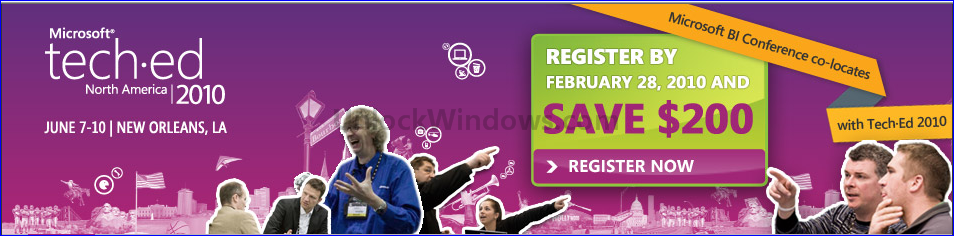
Tech·Ed is an excellent conference that I think you should consider attending with me.
Here are the highlights:
- 21 Technical Tracks,
- Tons of experts that you can talk to and learn from,
- Hands-on Labs,
- Certifications,
- Access to 4000+ peers/colleagues
Home | Agenda | Registration | Spread The Word
Chirp has launched !!!


What is Chirp?
Few days back there was an announcement that Soon Twitter is going to Chirp and today the wait is over and the Venue & Date for The Official Twitter Developer Conference is final with its full schedule update.
| Where & on which date is it going to chirp? | What is the schedule? |
 |  |
What is Venue of Chirp?
Who are the speakers? | 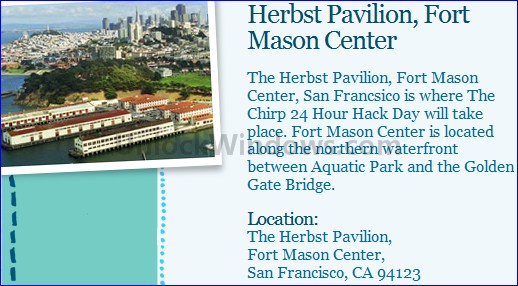 |

We've done our very best to bring you the speakers you want. You'll learn from the experts that keep Twitter's heart beating.
We'll also be bringing you the very best and most successful Twitter Developers in the world! You won't be dissapointed!
For more details just go and chirp.
Microsoft launched new Website: Windows TestedApproved.com
Windows TestedApproved.com Is Launched
On the day of CES Microsoft came up with http://www.testedapproved.com/as the go-to sit for their customers to learn about the "Compatible with Windows 7" logo program. This site simply meant to emphasize on the value of the Windows logo program and to help customers to educate them on this issue. It is directly linked to the Windows 7 Compatibility center and encourages the customers to discover the products that have earned the Windows logo.


Its just one way which can help customers in learning more about te value of the Windows 7 logo program with addition of increased visibility as a featured component on a variety of consumer Web Sites.
TestedApproved.com simply ensures that if your product is marked with the Window logo then it is sure that all your software, devices, and printers install readily and run reliably.
Finally Bill Gates is also tweeting

On 20th Jan Bill Gates came live on Twitter . From that day to now with a speed of 8 followers per secoond currently he is having 298,823 followers with 9918 listed. You can follow him BillGates on Twitter.
Here is its sneak preview when you first open it:

Password privacy: How it is done.
We already had a blog post on How to Create Strong Paswords. Password is something which is used to keep things secured, safe and away from threats so as to keep information protected. But as much as our information is imnportant and neccessary to be protected, in the same way password is also to be kept secret.
It is recommended to use strong passwords while accessing social networking websites, computer system etc where we keep our personal or financial information.
There are some key points to remember and follow as:
1. Never reply to an e-mail request asking for your password. There may be some Internet "phishing" scams using fraudulent e-mail messages requetin your e-mail's username and password.
2. Never provide your password over e-mail.
3. Never access your account from other system that you do not control as like in INternet cafes, in any conferences, computer labs, kiosk systems, and airport lounges. Such places are unsafe for account accessing activities.
It may be possible that Cyber criminals can use keystroke logging devices which gather whatever is typed on a computer, including passwords.
4. Never trust anyone so don't reveal your passwords to someone.
Its a good habbit to keep your passwords hidden from friends or family members (especially children) who could pass them on to other, less trustworthy individuals.
5. Keep your recorded passwords protected.
Never try to store passwords on a file in your computer, as these places are easy to be hacked. So always keep your record of the passwords in a safe, secure place.
6. Have more than one password.
Always try to keep different passwords for different Web sites and services.
Welcome to Microsoft News Center
"Microsoft News Center" the one previously known as "Microsoft PressPass" is the next evolution of PressPass. Microsoft made lots of design changes to the website and changed the name of PressPass to now what it is called as "Microsoft News Center".

The main motto of the whole reinnovation is to broaden the range of content and make the iste more interesting so that user can easily navigate throughout with an ease. Also the videos, images and all other sort of graphics is also categorized very well and made available for download, share and reuse.
If in case anyone wants to send their feedback and questions all are welcome so that your feedback can be used to shape future site updates.
Visit and see Microsoft News Center in action.
Subscribe to:
Posts (Atom)
Buy Quick Heal at Cheap Price


Friends


Link to us

BlogAdda

About Me

- Arvind Kumar
- I'm Arvind Kumar from India, B.Tech, now working in a MNC. I love to use Microsoft Products and learn from that. Bill Gates is my ideal person.


